

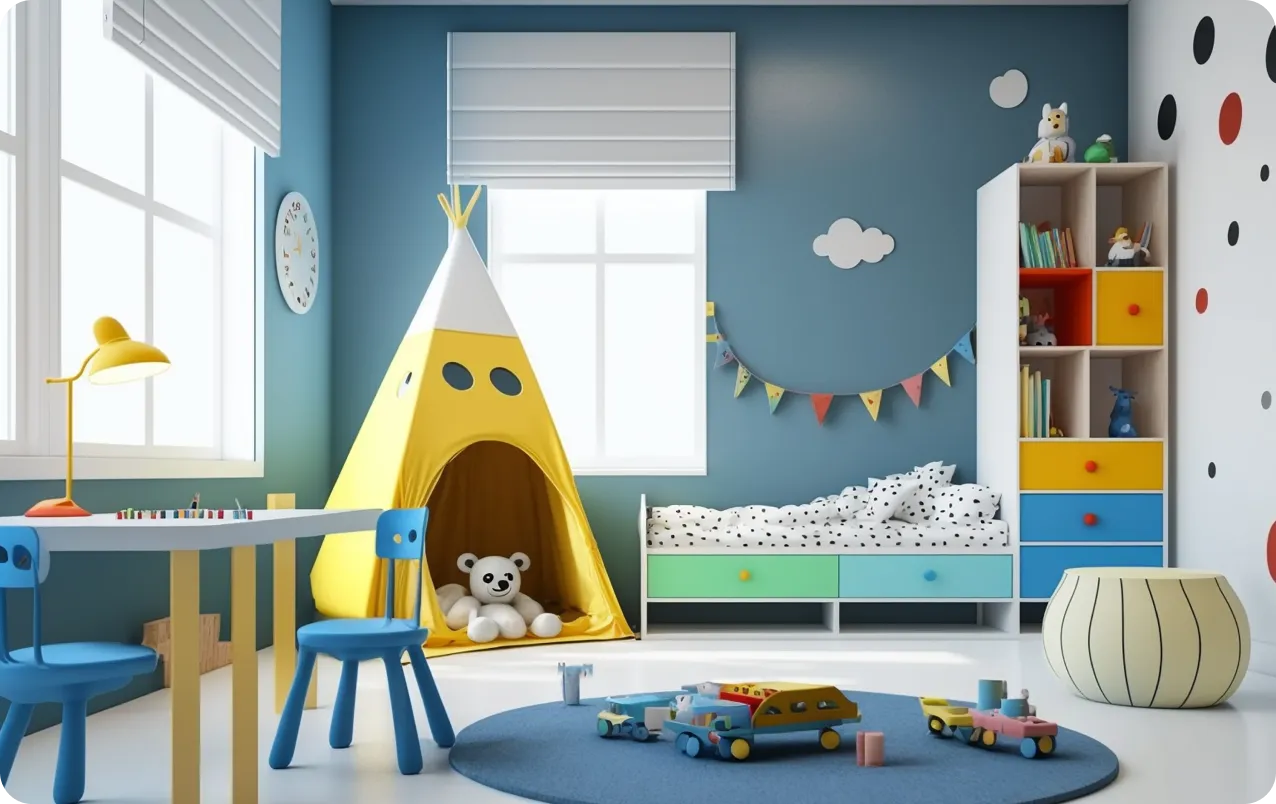
Personalization is key. Your child’s room is like their personality; very individual, unique, and colorful. Don't settle for worn-out themes and styles. Find that perfect fabric pattern or unique wallpaper and incorporate it into your design for a more realistic and personalized output.
Kids Room Design
Ideas and Layouts
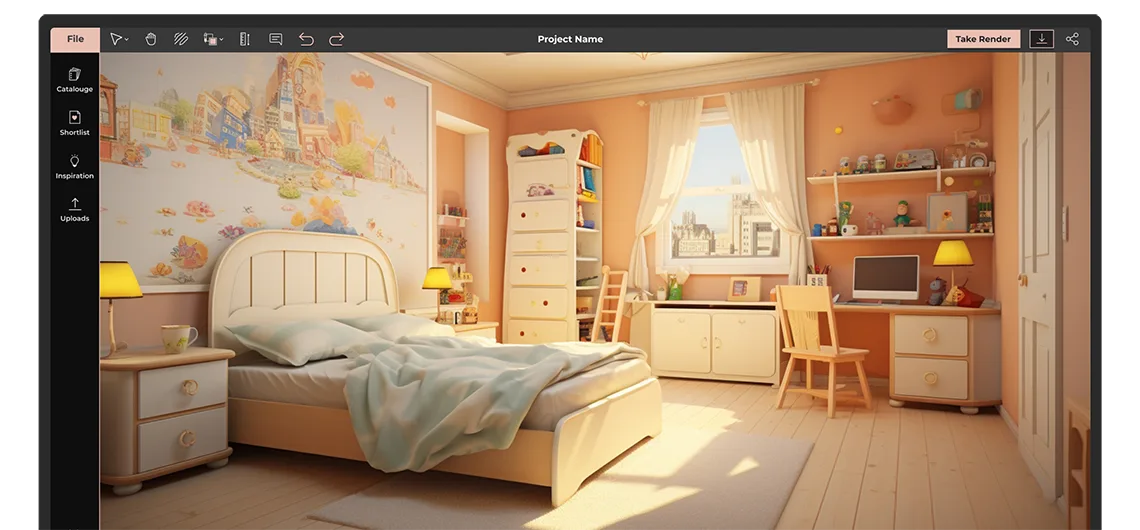
Design a kids room that is both fun and functional. Explore creative kids bedroom design ideas, plan practical layouts, and visualize your child’s room in 3D.
Whether you are designing for a toddler, school-age child, or teenager, create a space that supports sleep, study, and play.
- Explore children’s bedroom layout ideas
- Design and visualize in 2D and 3D
- Plan functional and creative kids rooms
Trusted by


 150,000+ Interior Designers
Plan the Perfect Kids Room Layout
- A well-designed kids room is more than just decoration. The right children’s bedroom layout helps create a space that is comfortable, organized, and adaptable as your child grows.
- From choosing the right bed placement to planning study areas and storage, every detail plays a role in building a functional kids bedroom design.
Kids Room Design Ideas for Different Needs
Customization
Foyr allows a high level of customization to the point that you can upload your own 3D models and textures and tailor the measurements to perfection for a highly personalized kids room layout.
Simplified design process
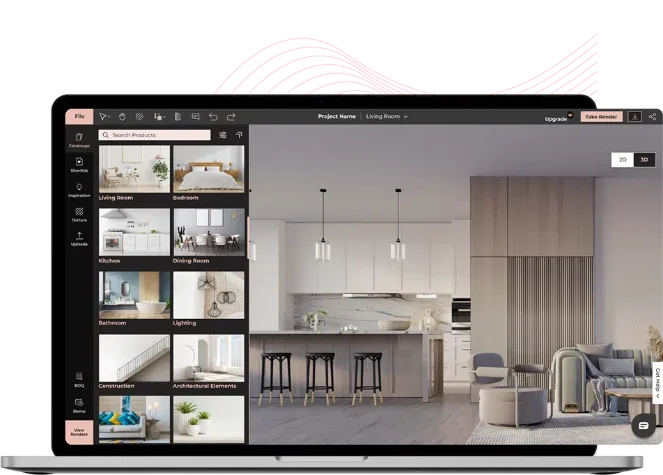
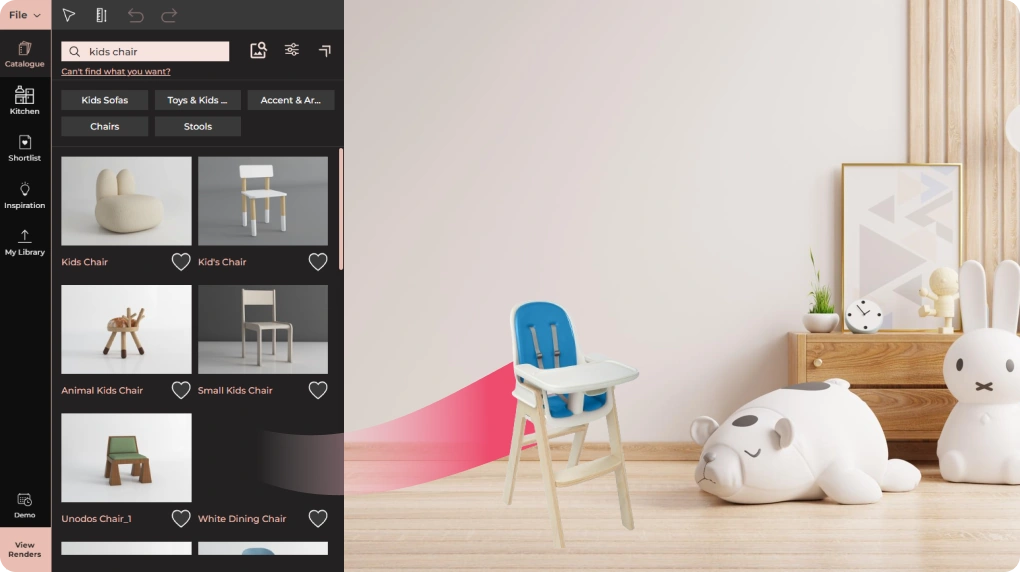
Drag and drop 3D models, textures, and finishes from our dedicated kids room catalogs. Everything automatically snaps in place, facilitating a seamless design process with our kids room design tool.
3D design visualization
View your kids bedroom design in 2D and 3D modes for better insight and easier editing. Once ready, just click a button and get spellbinding 4K renders of your design.
How to design a
kids room with Foyr
Create, upload or choose a floor plan template to start designing your kids room. Draw walls and rooms and resize everything for accuracy in your kids room layout.

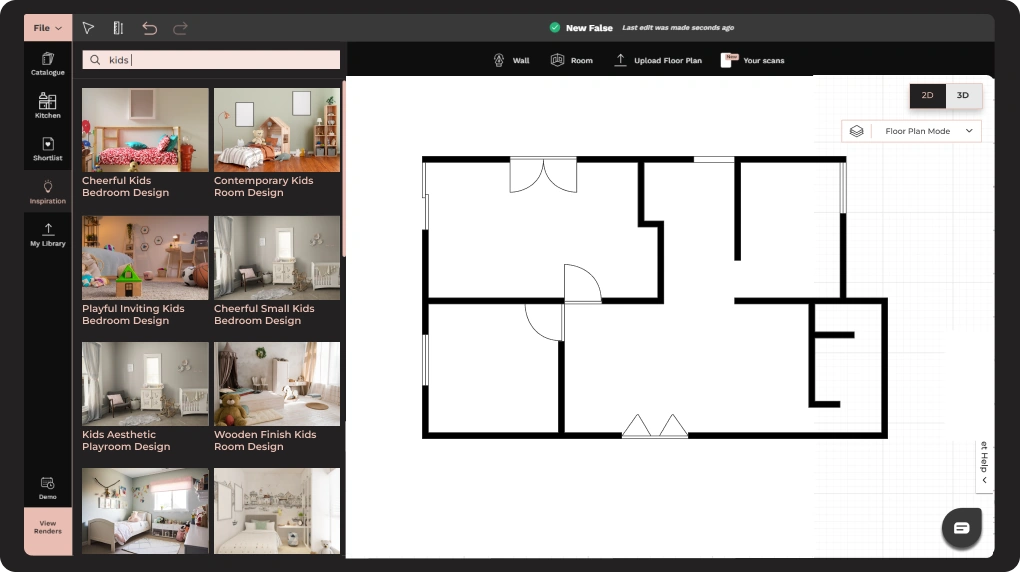
Choose from our dedicated kids room accessories and elements to decorate your design. Just drag and drop to decorate your design with our kids room layout.
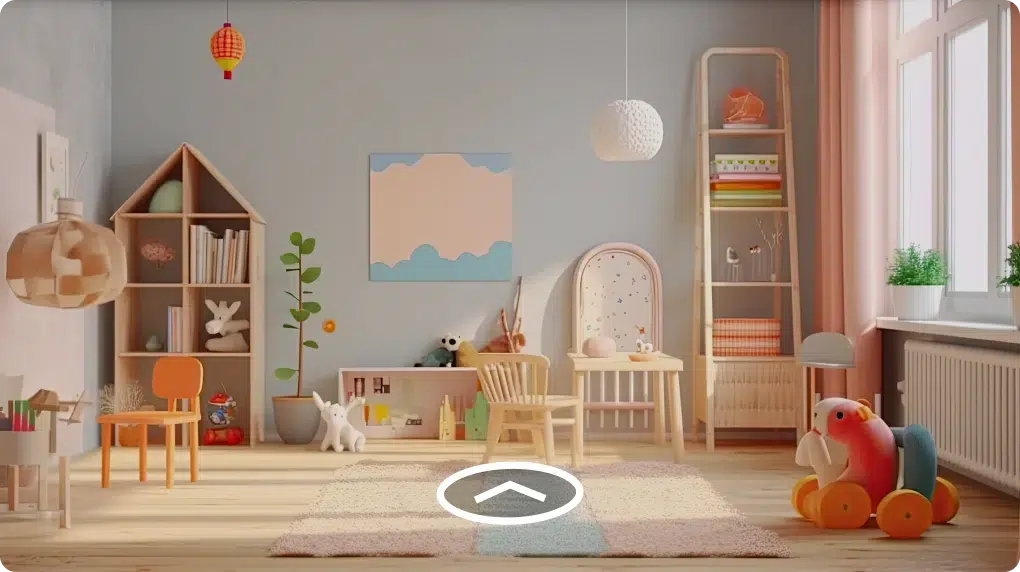
Turn your design into stunning, life-like 4K renders and 360-degree walkthroughs with our kids room design tool to impress your clients. And your kids room design is done!
Kids room design tips
Designing a kids room requires a good blend of creativity and functionality. Here are some helpful kids room design tips for planning a perfect children’s bedroom.
01
02
Effortlessly yet effectively plan lighting for your kids room design. Experiment with different lighting options to tailor the ambiance of the room to perfection. An advanced kids room design tool like Foyr Neo, with its smart auto-lighting feature, can come in handy for you.
Simplify furniture placement instead of beating your head in fine-tuning how elements are placed together. An advanced kids room layout software should automatically snap elements in place for you, saving you precious time and effort. Focus more on the creative part of the design and let the software handle the technical bit.
03
04
Go beyond static renderings and bring your kids room design to life even before it exists with interactive 360-degree walkthroughs. While photorealistic static 3D renderings allow good insight into the design, the immersive experience of 360-degree spin views is second to none. Impress your clients and leave them with no reason to say 'no' to your creations.
Who Is
This For?

Parents
Design a kids room that is both functional and comfortable. Plan layouts, test ideas, and avoid costly mistakes before buying furniture or making changes.
Interior Designers
Create detailed kids bedroom designs with realistic visuals. Present ideas clearly to clients and speed up approvals with professional outputs.
Architects and Home Planners
Plan children’s bedroom layouts that align with overall floor plans, ensuring proper space utilization and design consistency.
Contractors and Builders
Work with clear layouts and visual references to execute projects accurately, reduce errors, and stay aligned with client expectations.
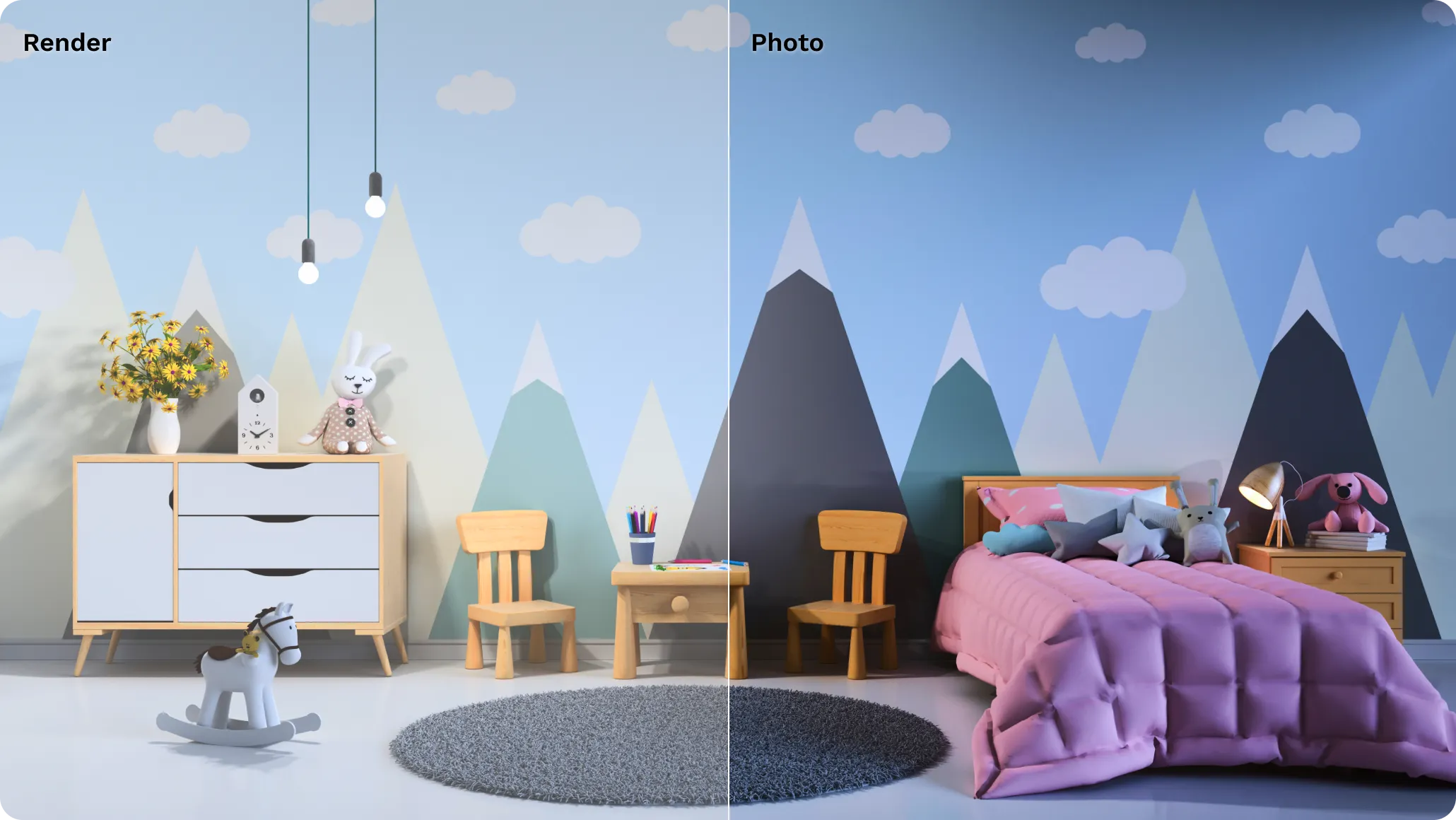
Foyr render vs the real kids room
Why Designers Love Foyr

Nikki Tait
Interior Designer, USA
"Foyr Neo has helped me visualize the entire space before making decisions, which made it so much easier for both me and my client to feel confident in the final design."
The kids room design tool you can bank
on without breaking the bank
Standard
IDEAL FOR
Professional interior designers and creators with multiple projects
$
59
month
- 180 Render Credits/Month (2160/Yr)
- 2 User
All Basic plan features, plus
- 6x Render Credits Than Basic
- 3D Walkthrough
- Full Set Of Design, 3D Editing, Modeling And Rendering Features
- Export Floor Plans
- FoyrAR - See Design In Your Room
- 1 Hour Onboarding And Training
Related blog posts

Frequently asked questions
A kids room design tool is specialized software that helps parents, designers, and homeowners create customized bedroom spaces for children. Foyr Neo’s kids room design tool offers both 2D and 3D visualization capabilities with dedicated children’s furniture catalogs, theme options, and age-appropriate design elements. The tool provides drag-and-drop functionality, realistic rendering, and the ability to experiment with different colors, layouts, and furniture arrangements before implementing changes in the actual space.
Foyr Neo offers innovative capabilities for working with existing spaces. While you cannot directly upload a photo to generate a design automatically, you can create an accurate kids room layout based on measurements and then use the AR (Augmented Reality) feature to visualize the completed design in your actual space. This approach ensures your designs maintain proper scale and proportion while allowing you to see how new furniture and decor will look in the physical room through your mobile device.
Designing shared bedrooms is simple with Foyr’s kids room design tool. Start by measuring the space and creating an accurate floor plan. Consider using vertical space with bunk or loft beds to maximize floor area. Create separate zones for each child while maintaining cohesive design elements. Use color coding or themed areas to designate personal spaces. With Foyr Neo, you can test different kids room layout options, furniture arrangements, and storage solutions before finalizing your design.
Using Foyr’s kids room design tool involves three main steps. First, create a floor plan by drawing walls and defining room dimensions based on measurements or by selecting a template. Second, browse the extensive children’s furniture catalog and drag-and-drop items into your design, experimenting with different arrangements. Third, switch between 2D and 3D views to evaluate your design from different perspectives and generate photorealistic renders or 360° walkthroughs to visualize the final result.
Foyr Neo stands out as a premier home design software with a comprehensive 14-day free trial. During this period, users gain full access to all features, including the extensive children’s furniture catalog, 2D and 3D visualization modes, and 4K rendering capabilities. The intuitive interface requires no design experience, making it accessible for parents and professionals alike. Foyr Neo excels with its specialized children’s room elements, themes, and the ability to create age-appropriate spaces with professional results.
Foyr Neo’s kids room design tool delivers exceptional accuracy with precise measurements, proper scaling, and true-to-life representations. The software maintains exact room dimensions and proportions while accurately depicting furniture sizes, ensuring designs translate perfectly to real spaces. The photorealistic 4K rendering technology presents textures, colors, lighting, and materials with remarkable fidelity. Many users report that completed rooms are virtually indistinguishable from the digital renders, making Foyr an invaluable tool for visualizing kids room layout designs before implementation.
The best kids room layout includes separate zones for sleeping, studying, and playing. A well planned layout ensures enough storage, safe movement space, and flexibility as your child grows.
Start by creating a floor plan, then place essential furniture like the bed, study table, and storage units. Divide the space into functional areas and adjust the layout to improve comfort and usability.
A good kids bedroom design should include a bed, storage, study area, proper lighting, and space for play. The layout should be practical while reflecting the child’s personality.
Use space saving furniture, vertical storage, and minimal layouts to maximize space. Keeping the design simple and clutter free helps make small kids rooms more functional.
For shared rooms, create separate zones for each child with individual beds and storage. Maintain balance in layout to ensure privacy and easy movement.
Popular ideas include themed rooms, colorful walls, multi functional furniture, and layouts that combine study and play areas. The key is to keep the design adaptable over time.
Yes, you can design kids room layouts online using tools like Foyr. These tools allow you to create floor plans, arrange furniture, and visualize the room in 2D and 3D.
Storage is essential in a children’s bedroom. Proper storage solutions help keep the room organized, reduce clutter, and make the space easier to maintain.
Your childlike creativity turned
into technical brilliance
Let your raw creativity flow without being hampered by technical hurdles. Foyr handles the design specifics so you can focus on bringing a kids dream room to life.

Trending Interior Design Ideas & Tools
2 Bedroom House Plan | 2D To 3D Converter | 3D Floor Plan Software | 3D Home Exterior Design | 3D Modeling Online | 4 Bedroom Simple House Plans | AI Interior Design | Backyard Design Tool | Bathroom Design Tool | Best Free Furniture Design Software | Design Your Dream House | Floor Plan Creator | Floor Plan Symbols | Garden Planner 3D | Interior Design Online Free | Interior Design Software | Interior Design Software For Spain | Kid Friendly Home Design App | Kitchen Design Software | Kitchen Layout Dimensions | Kitchen Remodelling Tool | Landscape Planning Software | Mood Board Creator | Open Floor Plan Layout | Pinterest For Interior Designers | Planner 5D Alternative | Prompt For Interior Design | Room Planner Online | Roomsketcher Alternative | Single Bedroom House Plan | Virtual Staging Software