Free Blueprint Maker & 3D
Blueprint Software Online
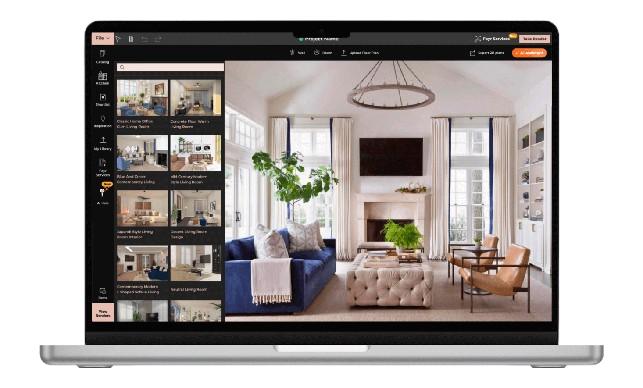
Design accurate layouts, create detailed plans, and visualize your space with Foyr’s powerful blueprint maker. Build professional blueprints in 2D and 3D without complex tools.


What is a Blueprint Maker?
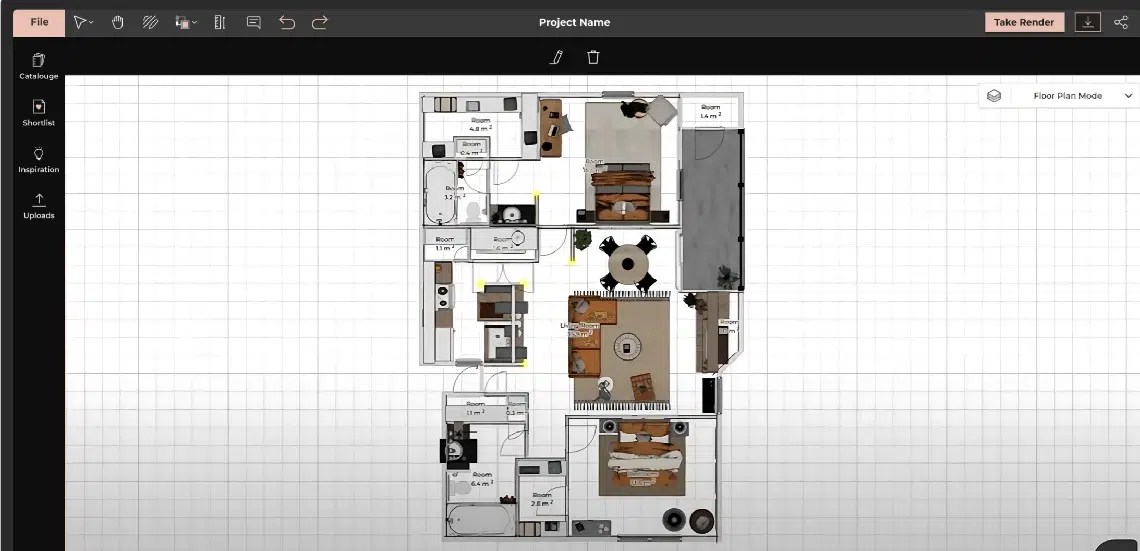
A blueprint maker is a digital tool that helps you create detailed layouts of a space, including walls, dimensions, and structural elements. A modern blueprint creator allows you to design, edit, and visualize plans with precision.
Using blueprint design software, you can draw accurate layouts, add fixtures, and convert your designs into realistic 3D visuals. This makes planning faster, clearer, and more efficient.
With an online blueprint maker, you can avoid manual drafting errors and create build-ready plans with ease.
Everything You Need in
a Blueprint Maker
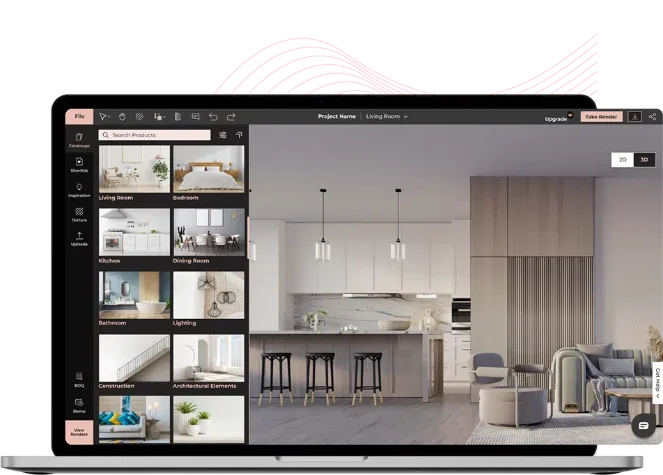
Whether you’re drafting a floor plan or fine-tuning details, our blueprint building software makes it easy for you to create, share and refine your designs.
Go from Concept to Finished
Design in 5 Simple Steps

Upload or Draw Your Floor Plan
Upload a scanned floor plan (JPG/DWG) or trace directly on screen. Foyr’s blueprint maker auto-snaps walls for accurate 2D layouts.

Define Your Layout
Use measurement tools to adjust the dimensions of walls, windows, and doors. Customize the layout by defining room sizes, wall thicknesses, and areas.

Add Elements and Fixtures
Drag and drop 3D models from our library of over 60,000+ items to your blueprint. Add furniture, plumbing, lighting, and other elements or upload your own model.

Switch to 3D and Refine Design
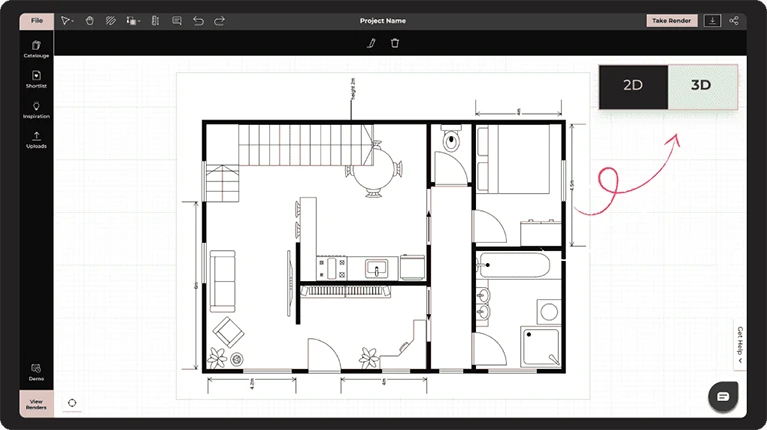
Toggle between 2D and 3D views to get a better sense of your space’s volume, lighting, and structure. Adjust ceilings, window placements, and materials till everything is perfect.

Render, Export and Share
Once your blueprint is ready, generate 4K renders and adjust the lighting. Share your designs with clients via PDF, link, or export to CAD format to refine further.
Why Foyr is the Best Blueprint Software
Foyr Neo is built to simplify the entire design process, making it one of the most efficient blueprint software solutions available.
Faster than traditional tools
Beginner-friendly interface
2D to 3D visualization
High-quality renders
Blueprint Design Ideas You Can Create

Foyr vs Traditional
Blueprint Design Methods

Manual drafting vs digital precision
Sketching on paper is slow and difficult to edit. Foyr’s blueprint maker lets you create accurate layouts, adjust dimensions instantly, and make changes without starting over.
Limited visualization vs 3D clarity
Traditional blueprints rely on imagination. With Foyr’s <b>3D blueprint maker</b>, you can view your design in realistic 3D and understand how the space will actually look.
Time-consuming vs fast workflows
Manual planning takes hours to revise and finalize. Foyr speeds up the entire process with drag-and-drop tools, automation, and quick rendering.<br> Foyr transforms blueprint design into a faster, more visual, and more efficient experience.
Related blog posts


Hear From Our Happy Clients

Nikki Tait
Interior Designer, USA
"Foyr Neo has helped me visualize the entire space before making decisions, which made it so much easier for both me and my client to feel confident in the final design."
Frequently Asked Questions
A blueprint serves as a detailed visual plan that guides the construction or renovation of a space. It communicates the layout, dimensions, and structural elements to architects, builders, and clients, ensuring everyone shares the same vision. With Foyr’s Blueprint Maker, creating these clear, professional floor plans becomes fast, visual, and accessible even for non-technical users.
Traditionally, blueprints were drawn by hand or with CAD software, often requiring technical expertise. Today, many professionals turn to modern blueprint software like Foyr, which lets you create precise 2D layouts and instantly switch to 3D for real-time spatial planning without the steep learning curve of legacy drafting software.
Common software for blueprint creation includes AutoCAD, SketchUp, and Revit. However, Foyr offers a more intuitive, all-in-one alternative designed for speed, collaboration, and visual clarity. Its cloud-based blueprint maker allows users to draft, furnish, render, and share plans in minutes, no downloads required.
The five key features of a blueprint include: (1) a scaled floor layout, (2) room dimensions, (3) placement of doors and windows, (4) symbols for structural elements, and (5) annotations or notes. Foyr’s blueprint maker helps you include all of these effortlessly, while also letting you view the design in 3D and generate photorealistic renders to bring your plan to life.
The two main types of blueprints are: (1) architectural blueprints, which focus on the layout, dimensions, and design of a space, including walls, rooms, doors, and windows; and (2) engineering blueprints, which include structural, electrical, and mechanical systems. Foyr’s blueprint maker is ideal for creating architectural blueprints with precision and ease, especially for interior designers, real estate professionals, and home renovators.
There are many free software to create blueprints, but they often have limited features or restricted exports. For a more powerful experience, Foyr offers a 14-day free trial with full access to its blueprint building feature, allowing you to create 2D layouts, switch to 3D, drag-and-drop furniture, and render in 4K, all without needing a credit card.
No, modern blueprint software is designed for beginners. Tools like Foyr eliminate the need for CAD knowledge by offering drag-and-drop interfaces and automated features.
Yes, blueprint software helps create accurate layouts with dimensions, wall placements, and structural details that can be shared with contractors for real-world execution.
Look for tools that offer 2D and 3D views, accurate measurements, a large object library, and realistic rendering. These features help improve planning and reduce design errors.
Online blueprint software is easier to access, requires no installation, and allows real-time collaboration. Cloud-based tools also make it easier to share and edit designs from anywhere.
Design Your Backyard
the Visual Way
Say goodbye to guesswork and clunky tools. Say hello to Foyr Neo’s backyard design software that brings your dream outdoor space to life with ease.