Foyr Neo has made my design workflow super simple! My rendering times are cut down by more than half. They are always working on so many new updates. The chat support system is super helpful and I love the community Foyr has created.
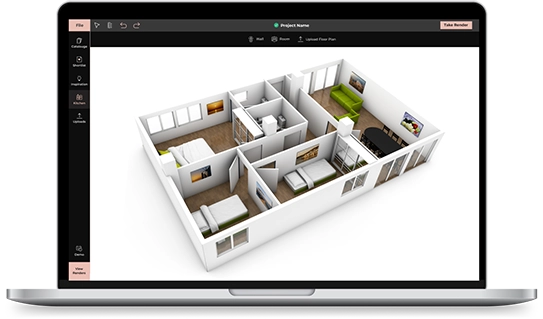
Create detailed 3D floor plans, design layouts, and visualize your space with Foyr’s powerful 3D floor plan software.
Try FREE for 14 days
Trustpilot
 4.3 ratings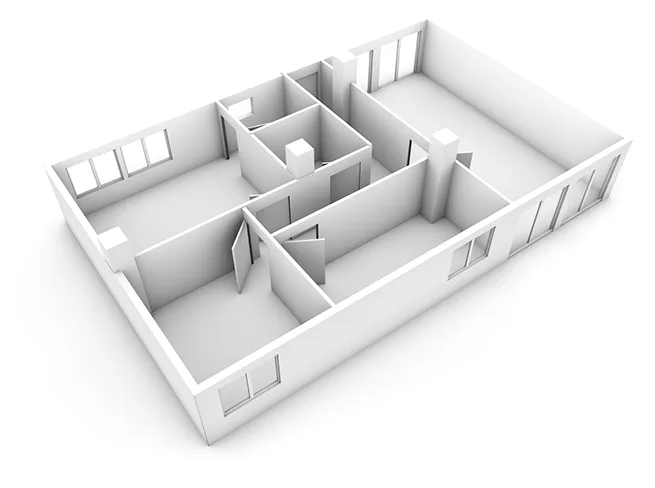
A 3D floor plan is a visual layout of a space that shows how rooms, walls, furniture, and materials come together in a realistic view. Unlike basic drawings, a 3D floor plan helps you understand the full look and feel of a space before it is built.
With a detailed 3D floor layout, you can see the placement of walls, doors, windows, and furniture, making it easier to plan and organize your design. It gives you a clear picture of how everything fits and functions together.
Using 3D floor planning, you can test different layouts, make changes quickly, and avoid costly mistakes before construction begins.
Wipe out time-consuming, day-long designs and rendering, and replace them with Foyr Neo, an accurate, simple, effortless, and time-efficient 3D floor plan maker. Sign up for a 14-day trial and overcome obstacles to design by making anything you envision possible on Foyr’s 3D floor plan software free of cost and hassle. Space is at a premium, so make every inch of it count for your clients with the right tool that helps you dream and design.
With exceptional flexibility to customize and an AI-powered assistant to help at every turn, you’re free to design the way your heart takes you. All designs that took you days to complete using traditional tools can now be done instantly, with Foyr’s 3D floor plan generator free of cost as part of your 14-day free Neo trial.
Show your clients the best possible home they can live in, ask for feedback, and reiterate the design in real-time, all within a few minutes.
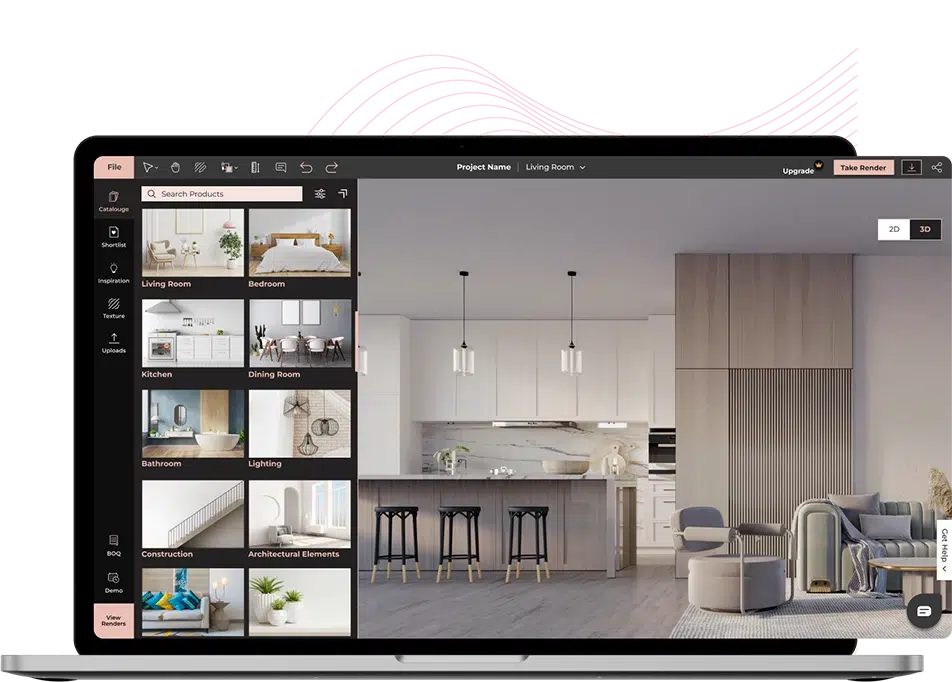
Foyr Neo is a cloud-based 3D floor plan software solution tailor-made for all types of floor plan creation. Whether you are an ambitious homeowner who has nothing to do with design technology, a tech-averse beginner designer, or a seasoned pro who can't manage to spend half their day on software, Foyr Neo is the best 3D floor plan software for you. What’s more is that you can use Foyr’s 3D floor plan generator free of cost for 14 days! Just avail your free trial, map a floor plan as easily as you draw on paper, furnish it with 3D product models from our materials and finishes library, and hit ‘render’ to get a 4K photorealistic render of your design in minutes
Try FREE for 14 days
STEP 1
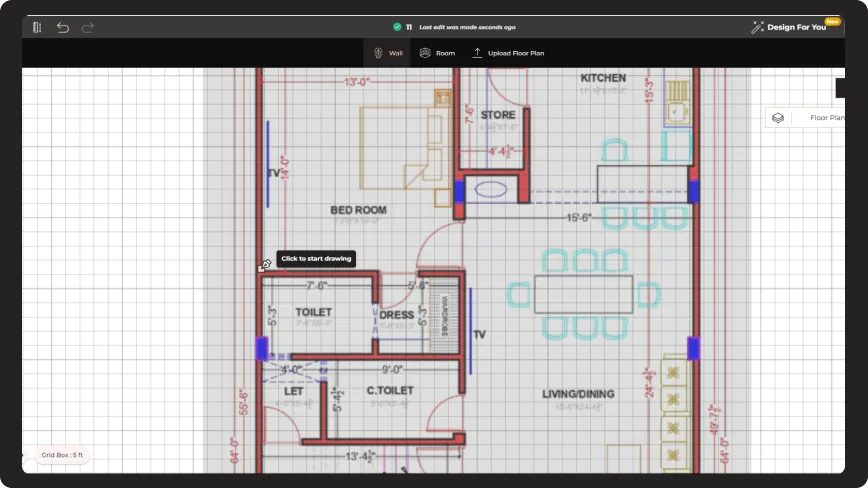
Import your plan as a JPG, JPEG, or PNG file, or as an AutoCAD DWG file into Foyr Neo.
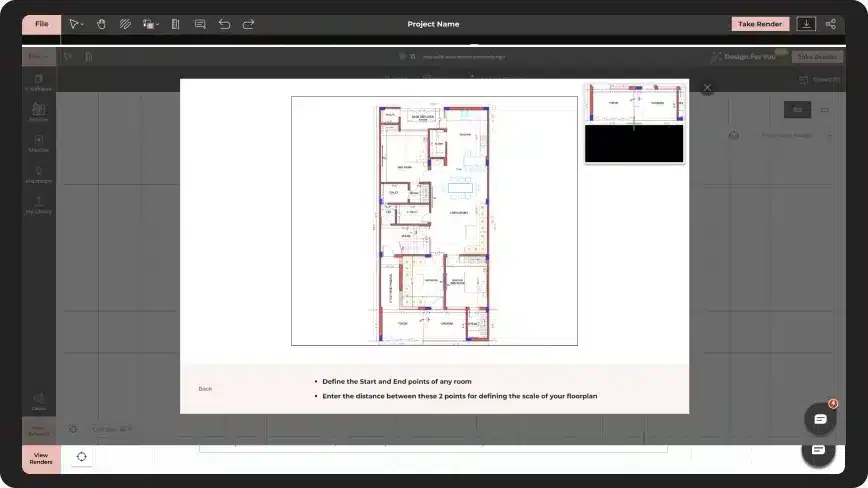
STEP 2
Set the scale, and dimension, and change opacity to highlight walls to trace load-bearing walls and partition walls separately. Align the floor plan wall-to-wall.
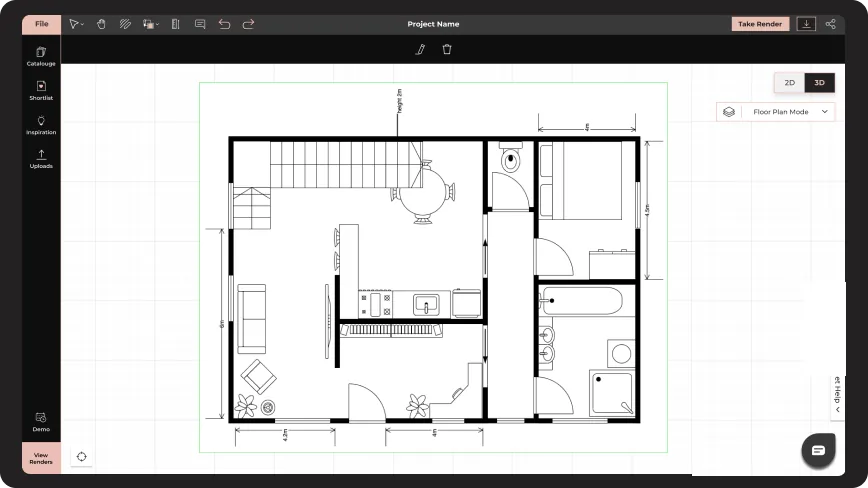
STEP 3
Use the auto-snapping feature to fix walls, and check if there are no gaps in between.
STEP 4
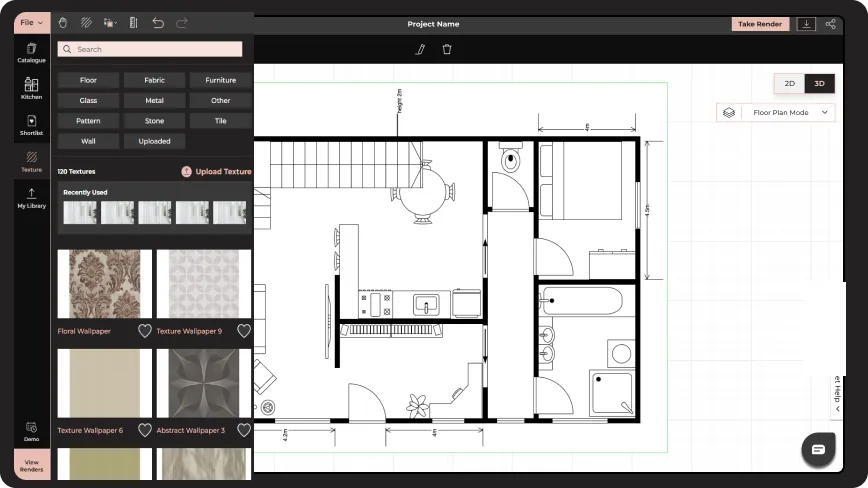
Hop onto the material library, drag and drop doors, and windows at any material, size, pattern, and finish you want.
STEP 5
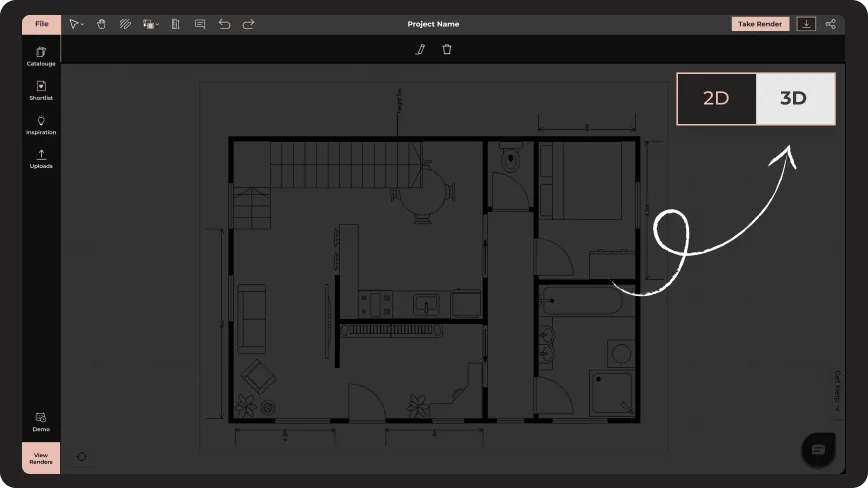
Swiftly transition toggle between the modes to see how the final output will look like, and fix errors.
STEP 6
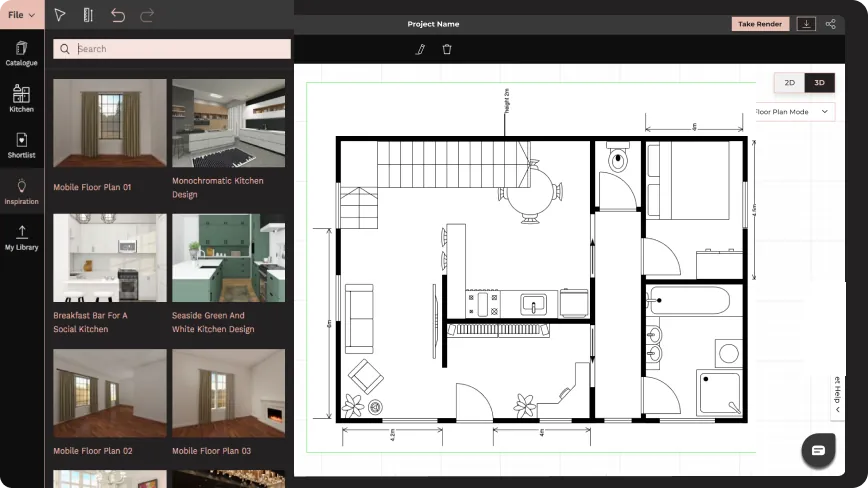
Go to the Inspiration library, search for the design style you want, shortlist, add inspiration/ decor products, and overlay them onto the existing floor plan.
STEP 7
Resize anything you want, replicate, rotate, replace, or move with simple clicks, and with zero glitches. Do this both in 2D and 3D mode.
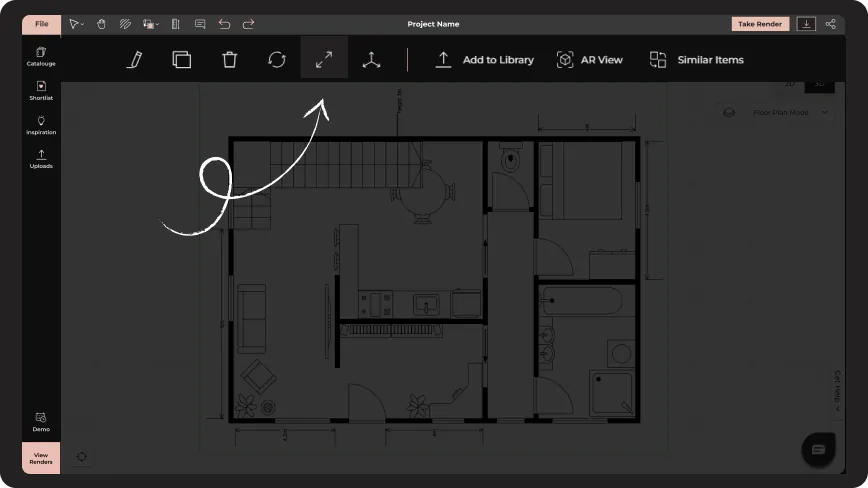
STEP 8
Add natural and artificial lighting, save the views you like, and preview your entire design with a 360-degree walkthrough.
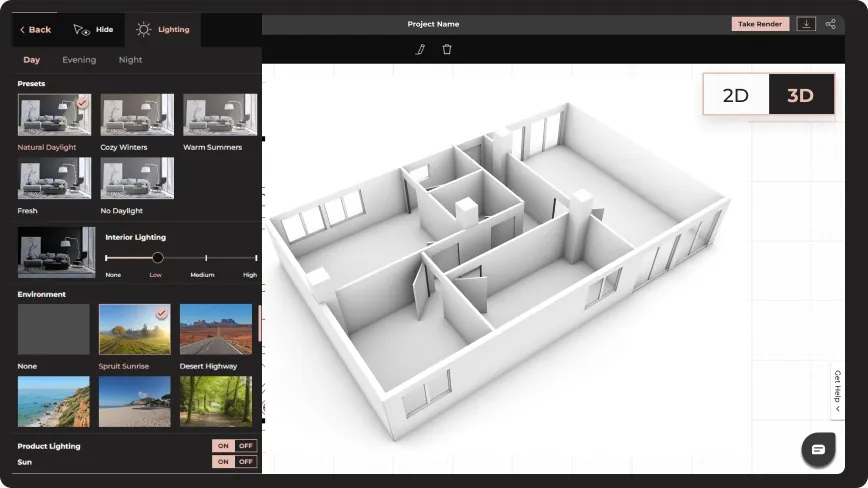
STEP 9
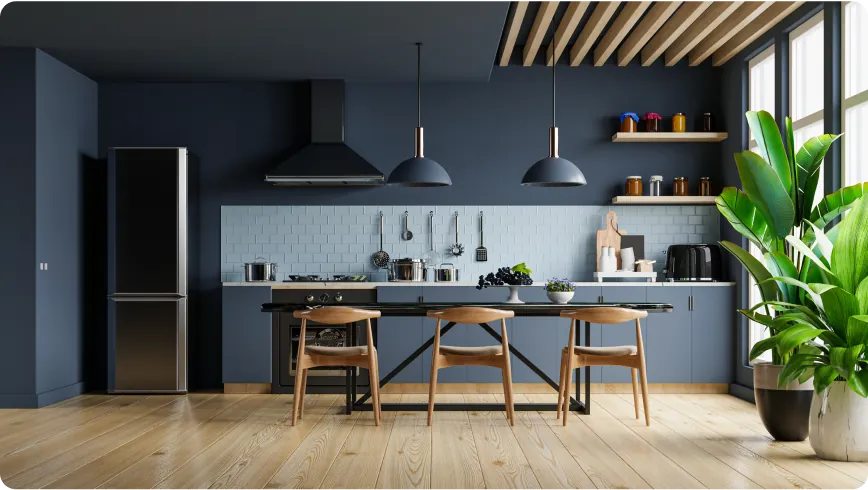
Hit ‘render’ and watch the cloud-powered super intelligent 3D floor plan software bring your design to life. Download the 3D floor plan renders in 4K quality.
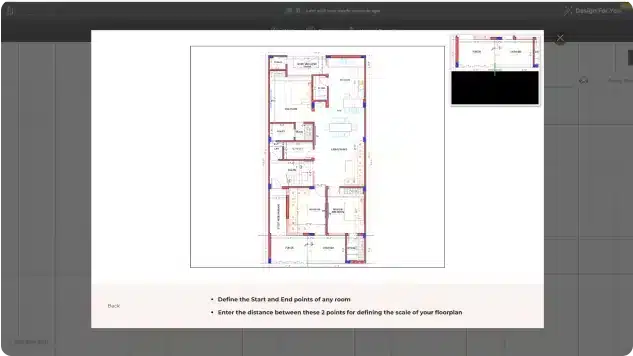
Fix your scale and proportion by aligning two points in different walls by dragging a line in between. Choose between different units of measurement, and fix walls, doors, and windows perfectly.
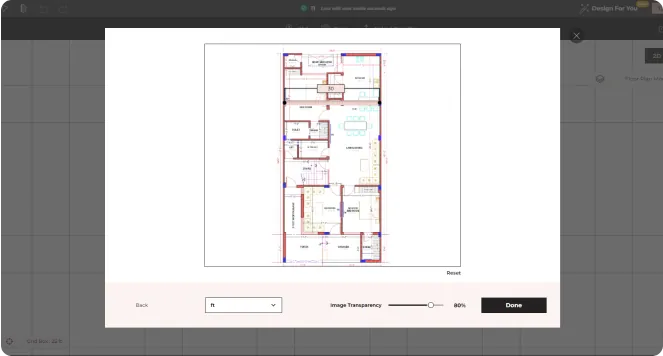
Our 3D floor plan software doesn’t let any wall look disproportionate. Our automatic wall-snapping feature helps you fix walls to nearby surfaces without much effort or worrying about their placement.
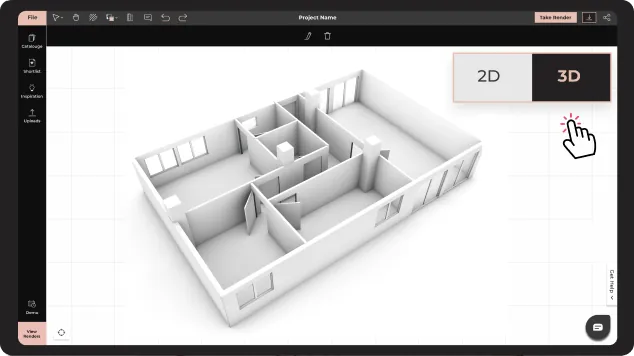
Design every room, zoom in and out constantly without any delay, waiting time, or glitching. With our cloud-based 3D floor plan software, you can ensure a smooth transition between every move that feels like you’re walking from one room to another.
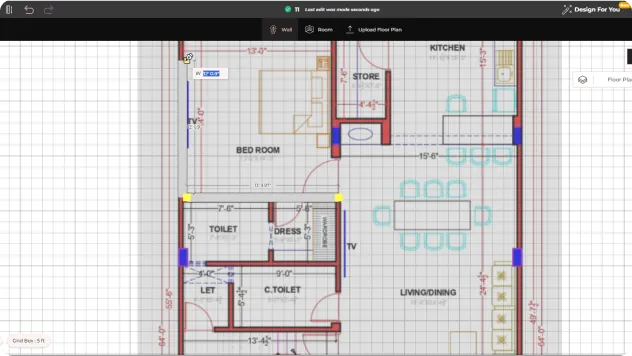
Want to bring visual interest to a space? We’re all for it. Simply drag and drop a ceiling-docked cube where you want a lower height. Show differences in height with simple moves, without having to go through a series of steps. One move and you’re sorted!
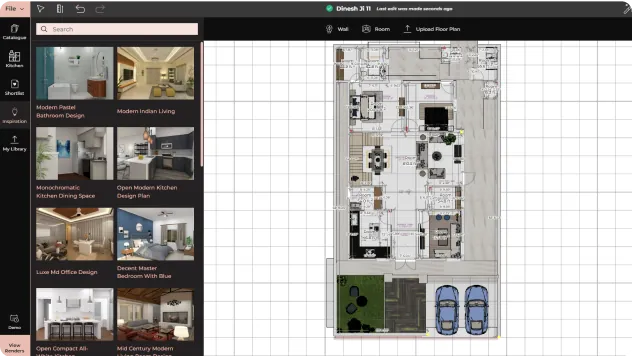
Spotted an image that stole your heart? Simply select the inspirational image from the Neo library, or export a file, drag and drop it into the floor plan, and use it in your design instantly. Our vast collection of floor plan templates makes it easy for users to get started.
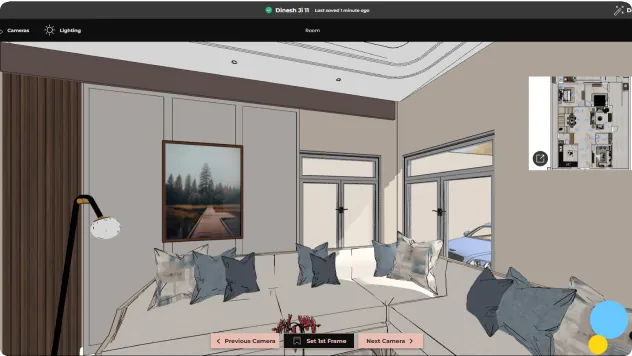
Assess every inch of the space you’re designing up close with a 360-degree walkthrough. Virtually pace through the space and check every product, finish, material, and shape before rendering. To give a great visceral impact on your clients, create a 3D walkthrough video, or switch to AR mode and transport them to their dream space.
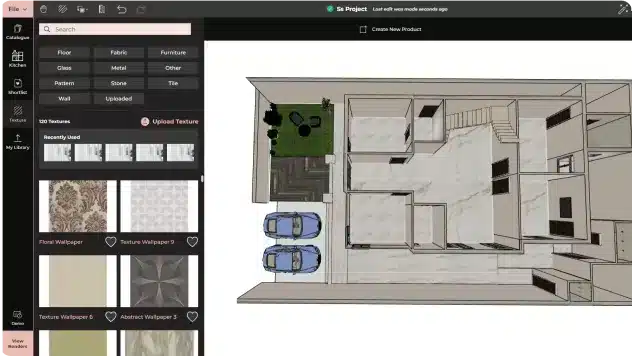
Foyr’s 3D floor plan app lets you visualize your space in any natural lighting, season, or external condition, and with any type of fancy artificial lighting as possible. All you need to do is toggle between different lighting settings and your design is all aglow.
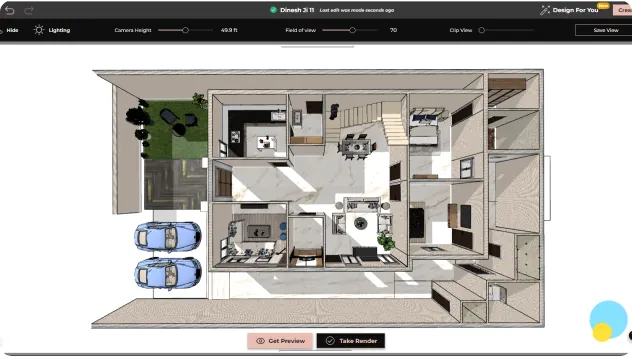
No more sitting beside your computer waiting for days for the render to load. Design hit ‘render’ and you’ll have a stunning 3D floor plan design online with our 3D floor plans software! No matter how complex your design is, your render will be ready in record time.

Measure twice, draw once – double-check units of measurement before starting the design
Walkthrough every room and check the flow and traffic before rendering
Assess how different materials interact with your design before finalizing them
Take multiple previews, and fix errors before the final render
Ascertain sun movement, bring in sunlight via different windows, and see how the design interacts
Looking for inspiration? Explore different layouts and styles you can create using a 3D floor plan software. These examples help you visualize possibilities and build designs that match your needs.
Idea 1
Design compact spaces with smart zoning, multifunctional furniture, and efficient storage. A well-planned 3D floor layout helps you make the most of every square foot.
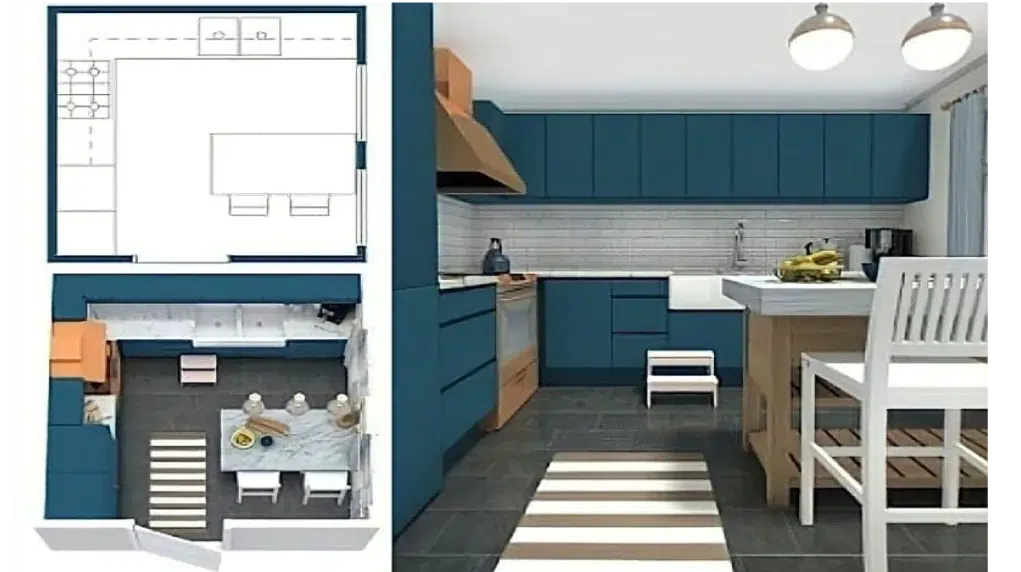
Idea 2
Create clean, open layouts with connected living spaces, large windows, and minimal design elements. Use 3D floor planning to experiment with flow and functionality.
Idea 3
Plan productive workspaces with dedicated zones for collaboration, privacy, and movement. A 3D floor plan helps you organize desks, meeting rooms, and common areas effectively.
Idea 4
Design spacious layouts with multiple rooms, premium materials, and detailed interiors. Visualize high-end living with realistic 3D floor plans before construction begins. These 3D floor plan ideas give you a starting point to explore layouts, test concepts, and create designs that bring your vision to life.

More than 3000 users have been helped by Foyr Neo

Kathy Noumi

Eric Dillman

Kristy Begin Patterson

Tierney Larkin

Rachel Collins

Lesley Myrick
Professional interior designers and creators with multiple projects


This article describes what are 3D floor plans, the purpose of floor plans and how 3D floor planners...
Read article
Floor Plans illustrates the location of windows, walls, stairs, bathroom fixtures, room sizes, and f...
Read article
Discover 17 inspiring patio design ideas for ultimate relaxation and low-maintenance upkeep. Elevate...
Read articleTurn to Foyr and convert your creative visions into breathtaking 3D floor plans in record time. More than 3D floor plan software, it's your mind’s projector!
Try FREE for 14 days