3D Rendering Software for
Interior Design
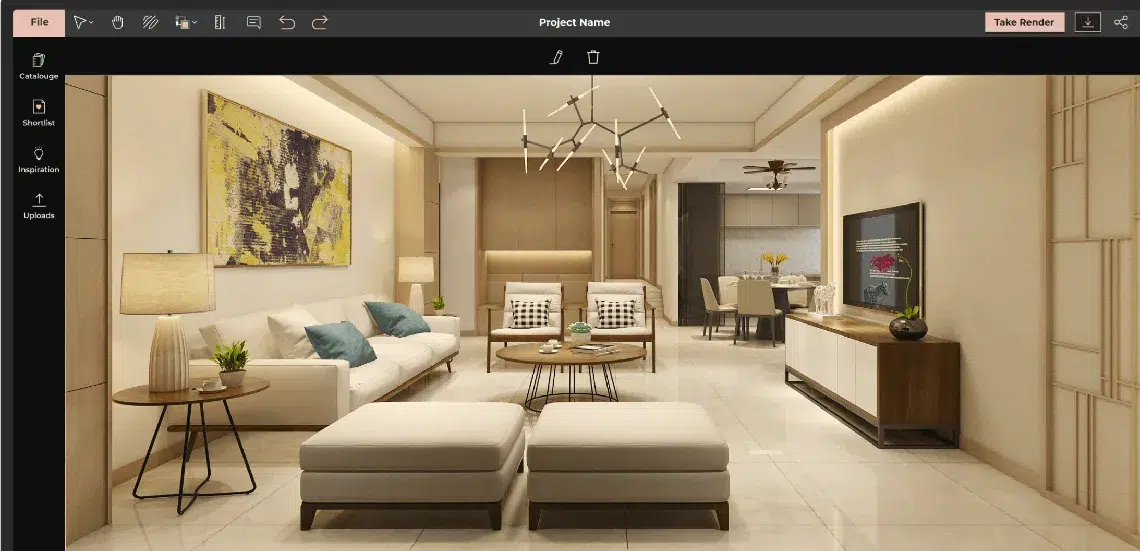
Foyr’s 3D rendering software helps you transform interior design ideas into stunning, lifelike visuals—without complex tools or long rendering times. From concept to client-ready renders, everything happens in one seamless platform.


Why Choose Foyr’s
3D Rendering Software?
Foyr simplifies the entire rendering process by bringing design, visualization, and rendering into one easy to use platform. Instead of switching between multiple tools or dealing with complex workflows, you can create, refine, and present your ideas in one place.

Create Photorealistic Visuals Faster
Produce high quality renders with realistic lighting, shadows, and textures in just minutes. This helps you move from concept to presentation quickly without long rendering cycles slowing you down.

Real Time Rendering and Instant Feedback
As you make changes to layouts, materials, or lighting, you can instantly see how your design evolves. This allows you to experiment freely and make better decisions without waiting for final renders.

All in One Interior Design and Rendering Tool
Design your space, add furniture, apply materials, and generate renders without relying on multiple software tools. Everything you need is built into a single streamlined workflow.

Advanced Lighting and Material Controls
Fine tune lighting conditions, surface finishes, and textures to achieve realistic results. Control how materials interact with light to create accurate and visually appealing scenes.

Built for Interior and Home Design
Foyr is designed specifically for interior and home design projects. From living rooms and kitchens to complete residential layouts, the platform is optimized to help you create detailed and practical visualizations.

Faster Workflow with Better Output
Reduce manual effort and avoid repetitive tasks with an efficient workflow. Spend more time designing and less time managing tools, while still delivering professional quality results.
How Our 3D Rendering
Software Works
Foyr is a complete interior design and 3D rendering software that makes high-end visualization easy, fast, and stress-free. Get professional results without the steep learning curve or chunky workflows.

Start Your Project
Simply upload your design file or create a new one directly using our interior design software. Our easy-to-navigate interface will guide you through the process.

Refine Your Scene
Add textures, adjust lighting, and tweak the camera angle to bring your design to life. Our 3D rendering software’s intuitive controls make it easy to materialize your vision in real time.

Render Your Image
Once you're happy with your adjustments, hit Render. In minutes, you'll have a high-quality, photorealistic image ready for use in presentations, marketing materials, or client proposals.

Review & Adjust
Before finalizing your render, take a moment to review your scene in detail. Use the preview mode to inspect every angle, ensuring everything looks perfect. If necessary, make minor tweaks to textures, lighting, or camera angles until you're completely satisfied.

Export & Share
With just a few clicks, export your render in the format you need. Whether it’s a still image or a 3D rendering view, sharing your design with clients has never been easier.
Powerful Features of Our 3D Rendering Software
Photorealistic 12K Rendering
Real-Time Rendering Engine
60K+ Furniture & Decor Library
360° Walkthroughs & Visualizations
Cloud-Based Platform
Easy Export Options
Who is This 3D Rendering Software For?

Benefits of Using
3D Rendering Software
Hear From Our Happy Clients

Nikki Tait
Interior Designer, USA
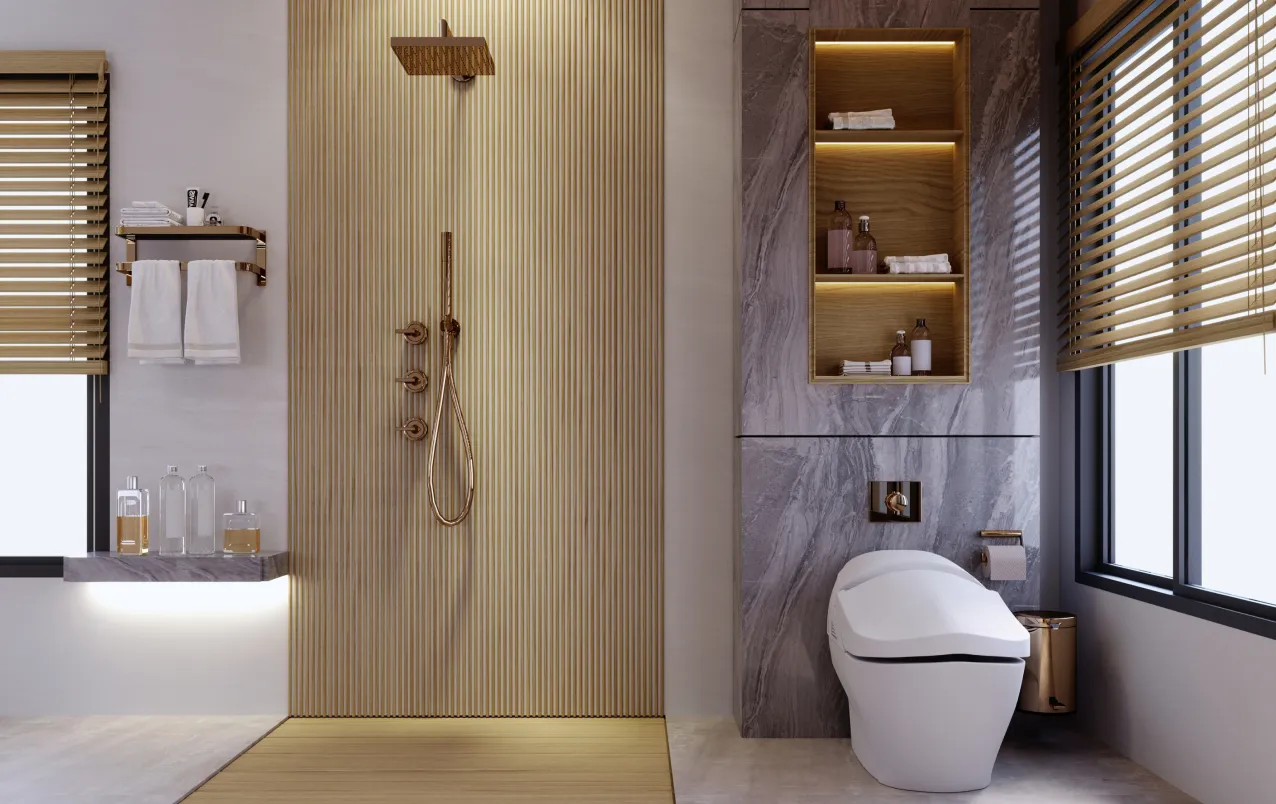
"Foyr Neo has helped me visualize the entire space before making decisions, which made it so much easier for both me and my client to feel confident in the final design."
Related blog posts


Frequently asked questions
To do 3D rendering for interior design, start by creating a 3D model of your space using design software. This model should include walls, furniture, windows, and other architectural elements. Afterward, you can apply textures and materials to the surfaces, such as wood, fabric, or marble. The next step is to set up lighting to enhance the ambiance of the space, and finally, use 3D rendering software to generate realistic images of the design. Foyr provides a unified platform for both design and rendering, streamlining your process.
The best 3D rendering software depends on your needs and budget, but some vital features it should have are: real-time rendering, photorealistic results, an intuitive interface, cloud-based accessibility, flexible file export options, AI-driven features, and collaboration tools. Foyr includes all of these essential features plus a 14-day free trial, making it an excellent choice for designers looking for simplicity, speed, and high-quality outputs. You can visit Foyr’s pricing page for more information.
3D rendering software is used to convert 3D models into realistic images by simulating lighting, materials, textures, and depth. It helps designers, architects, and real estate professionals visualize spaces before they are built.
The best 3D rendering software for interior design should be easy to use, fast, and capable of producing high quality realistic visuals. Foyr combines interior design and rendering in one platform, making it easier to go from concept to final render without switching tools.
Yes, 3D rendering software is widely used for home design. It allows you to visualize room layouts, furniture placement, lighting, and materials before implementation, helping you make better design decisions.
Some 3D rendering tools offer free versions or trials. Foyr provides a free trial so you can explore its features, create designs, and generate renders before upgrading.
No, many modern 3D rendering tools are designed for ease of use. Foyr offers an intuitive interface, drag and drop functionality, and ready made templates, making it suitable for both beginners and professionals.
Simple tools,
stunning results
Foyr is your recipe for crafting tasteful kitchen designs effortlessly. Right from an easy floor planner and a dedicated kitchen catalog to one-click 3D renders and walkthroughs, Foyr offers every ingredient you need to succeed in your kitchen design endeavors.
