


Small Garden Ideas
Make the most of limited space with smart layouts, vertical planting, and multi-use zones. A well-planned design helps you create a functional and beautiful small garden.
Plan, design, and visualize your outdoor space with an easy-to-use garden planner. Create layouts, add plants, and explore your design in 3D with Foyr.


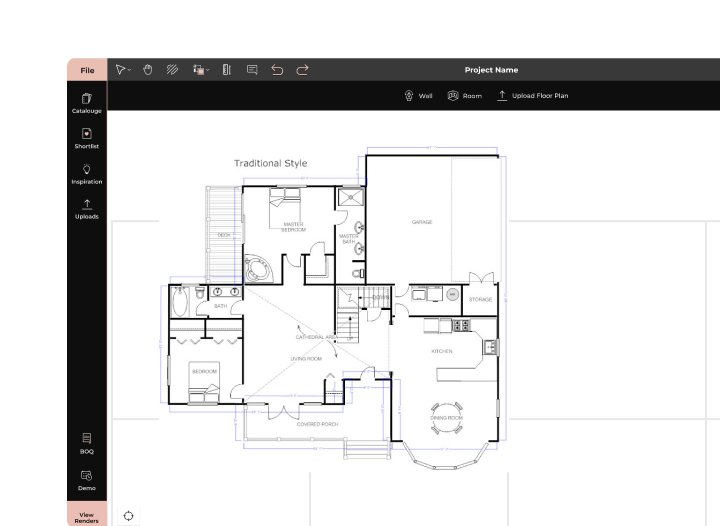
A garden planner is a tool that helps you plan and design your outdoor space with ease. Using a garden planner, you can create layouts, define zones, and organize elements like plants, pathways, and seating areas.
With a garden design software, you can place plants and features accurately, experiment with different layouts, and see how everything fits together. It also allows you to visualize your design in both 2D and 3D for better clarity.
A garden planning software helps you make informed decisions and avoid costly mistakes by planning everything before you start building or planting.
Smart Software + Simple Steps = Stunning Gardens


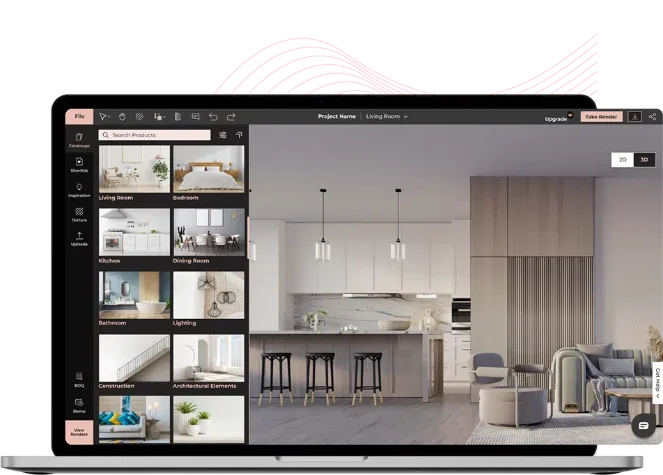
We have an extensive library of plants, lighting options, décor, and outdoor furniture to style your space. Want a modern patio chair? Or a classic bench? Or trees to suit the unique climate? Foyr’s garden planner software has it all!

Stuck on how to plan your space? Start your project with our pre-made design library tailored to different sizes and styles. You can also personalize these layouts by adding plants or rearranging furniture to make the space truly your own.

With our intuitive drag-and-drop interface, you can easily add plants, paths, furniture, and more. No technical skills required. Just select from the library and place it where you want.

Whether you're building a flower garden or a functional veggie patch, get personalized help from our built-in AI as you design. You can add plant types that suit your layout, check ideal placements for balance and flow, and even play with complementary palettes to see the best fit.

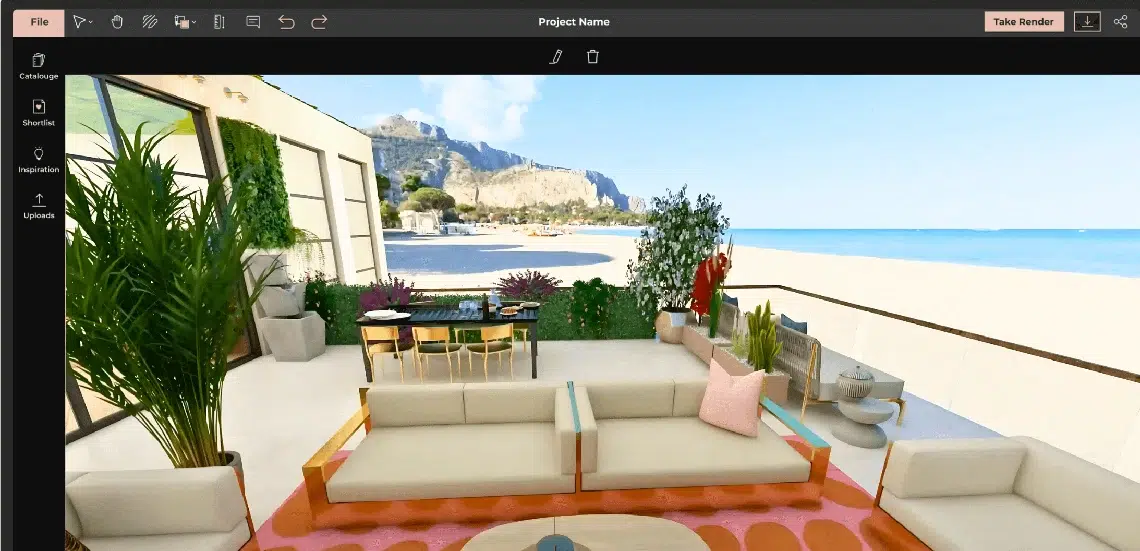
Transform your 2D layout into a stunning 3D garden. Walk through your design, explore different angles, and see how everything works together in real space, before you plant a single seed.


Foyr Neo is built to make garden planning faster, easier, and more visual for everyone, from beginners to professionals.
Looking for inspiration? Use a garden planner to explore different layouts and styles that suit your space and lifestyle. From compact setups to larger outdoor spaces, you can design and visualize everything with ease.
Make the most of limited space with smart layouts, vertical planting, and multi-use zones. A well-planned design helps you create a functional and beautiful small garden.
Design organized outdoor spaces with lawns, seating areas, pathways, and plant zones. Use garden layout ideas to balance functionality and aesthetics.
Turn compact balconies into green spaces with planters, railing gardens, and space-saving furniture. Perfect for urban homes with limited outdoor space.
Plan productive layouts with raised beds, proper spacing, and seasonal planting. A structured approach helps improve growth and maintenance. These garden design ideas help you explore possibilities, test layouts, and create an outdoor space that fits your vision.
Planning a garden with traditional methods can be slow and limiting. Foyr Neo offers a faster, more visual way to design and refine your outdoor space.

Sketching on paper makes it hard to scale, edit, or visualize changes. With Foyr’s garden planner, you can create accurate layouts, adjust dimensions, and update your design instantly.

Traditional planning relies on imagination, which can lead to mistakes. Foyr’s garden design software lets you view your layout in both 2D and 3D, so you know exactly how your garden will look.

Manual methods take time and effort to revise. Foyr simplifies the process with drag-and-drop tools, ready-made elements, and quick rendering, helping you design faster and more efficiently. Foyr replaces guesswork with clarity, making garden planning easier, faster, and more reliable.

Interior Designer, USA
Yes, Foyr offers a 14-day free trial that lets you start designing without your credit card. You can get the feel of the entire software by creating detailed layouts, experimenting with plant and furniture placement, and previewing everything in stunning 3D, all within your browser.
2D garden design software allows you to create flat, top-down layouts with accurate measurements, which are perfect for planning spacing and structure. 3D garden design software, like Foyr’s, takes it a step further by letting you step into your design virtually, walk through it, and make real-time adjustments. With Foyr, you can instantly switch between 2D and 3D views as you build.
Absolutely. Foyr is designed with beginners in mind, offering an intuitive drag-and-drop interface, ready-made templates, and smart design suggestions through its AI-powered ideation tool. You don’t need any prior design experience to start creating beautiful garden layouts.
You can start by measuring your space, noting sunlight patterns, and deciding on zones for planting, seating, or paths. To make the process simpler, use a garden planner like Foyr Neo. This garden planner software allows you to sketch layouts, add elements, and visualize your garden in 2D and 3D before planting anything.
Yes! Foyr Neo offers a powerful and easy-to-use garden design software where you can design your garden layout, add plants and features, and see it all come to life in 3D. It’s perfect for beginners and pros alike.
Yes, with Foyr Neo’s AI-powered garden planner, you can get smart layout suggestions, plant combinations, and style ideas, all in a free trial. It helps you design a beautiful and functional garden without needing expert knowledge. We also offer affordable plans for users. You can check out our pricing plan here.
A great garden planner should include 2D and 3D design capabilities, customizable templates, and an extensive library of plants, lights, and outdoor features. Foyr includes all of these plus unique extras like 360-degree walkthroughs, AI design suggestions, 4K rendering, and cloud-based access, making it both powerful and easy to use.
Foyr stands out as the best garden design software, as it combines advanced design tools with a user-friendly experience. Unlike other tools, it is a one-stop destination that allows you to create templates from scratch or use one of the ready-to-go templates, drag and drop all your furniture, plants, lighting, and more, and generate real-time 3D previews. On top of that, it provides a seamless cloud-based platform, AI-powered layout ideas, and immersive 360-degree walkthroughs.
The best garden planner is one that is easy to use, flexible, and offers realistic visualization. Foyr Neo combines drag-and-drop tools, 2D and 3D design, and fast rendering, making it suitable for both beginners and professionals.
Yes, many tools offer free versions or trials. Foyr Neo provides a 14-day free trial where you can create layouts, add plants, and visualize your garden in 3D.
Yes, you can design your garden in 3D using modern garden design software. Create your layout in 2D and switch to 3D to see how your space will look in real life.
Start by measuring your space and defining zones such as planting areas, seating, and pathways. Use a garden planner to place elements, test different layouts, and refine your design before implementation.
Yes, AI can suggest layouts, plant placements, and design styles based on your space. With tools like Foyr Neo, AI assistance helps you design faster and make better decisions.
Bring your outdoor vision to life with a garden planner that’s built for speed, creativity, and clarity. Whether you’re planting a few pots or designing your entire yard, start it with Foyr.


